
How to Integrate Warehouse Logistics Robots With Your Goods-In and Loading Bay
A practical guide to planning Keenon S100 and S300 load movers around goods-in handovers, forklift traffic, charging and a phased rollout.
Quick answer
Goods-in can be a practical starting point for warehouse logistics robots. The location is fixed, and the same internal movements often happen repeatedly. That makes it easier to plan a defined robot route than to automate picking, where destinations and obstacles change throughout the shift.

The operational problem is familiar: a forklift and its driver are tied up on short runs between the bay and put-away, while inbound vehicles are waiting. An autonomous load mover can take on a suitable, repeatable internal transfer, leaving staff and material-handling equipment (MHE) available for tasks that need them.
The key is to plan the handover and traffic flow before setting routes. A robot should fit the goods-in process, not create a new queue in the bay.
Why start with goods-in?
Goods-in has clear start and end points: a delivery arrives at a bay, and stock moves towards a defined staging or put-away area. If the same loads travel the same route regularly, that movement may be suitable for automation.
Picking is often a more complicated first task because goods, people and destinations shift throughout the day. A fixed goods-in transfer gives the team a simpler route to test, with clear responsibilities at each end.
An autonomous load mover is a mobile robot that transports a load between agreed points inside a building. Unlike a traditional AGV, it does not follow floor tape, wire or a fixed track. It uses mapping and onboard sensors, such as LiDAR and vision SLAM, to navigate and can have its route changed in software.
It is not the same as a delivery robot. Fresh Mango Robotics' DINERBOT range is designed for carrying trays and supporting guest-facing service, not for warehouse weight or pallet movement.
Keenon S100 or S300? Match the robot to the load
The best model depends on what the operation actually moves. The S100 is the usual starting point for totes and trolley movements; choose the S300 when the load is genuinely a pallet.
| Model | Published specifications | Typical goods-in fit |
|---|---|---|
| Keenon S100 | 100 kg class; LiDAR and vision SLAM; multi-sensor obstacle avoidance; full shift per charge; no floor tape | Tote, cage and trolley movements, particularly where aisles are tighter and loads are smaller |
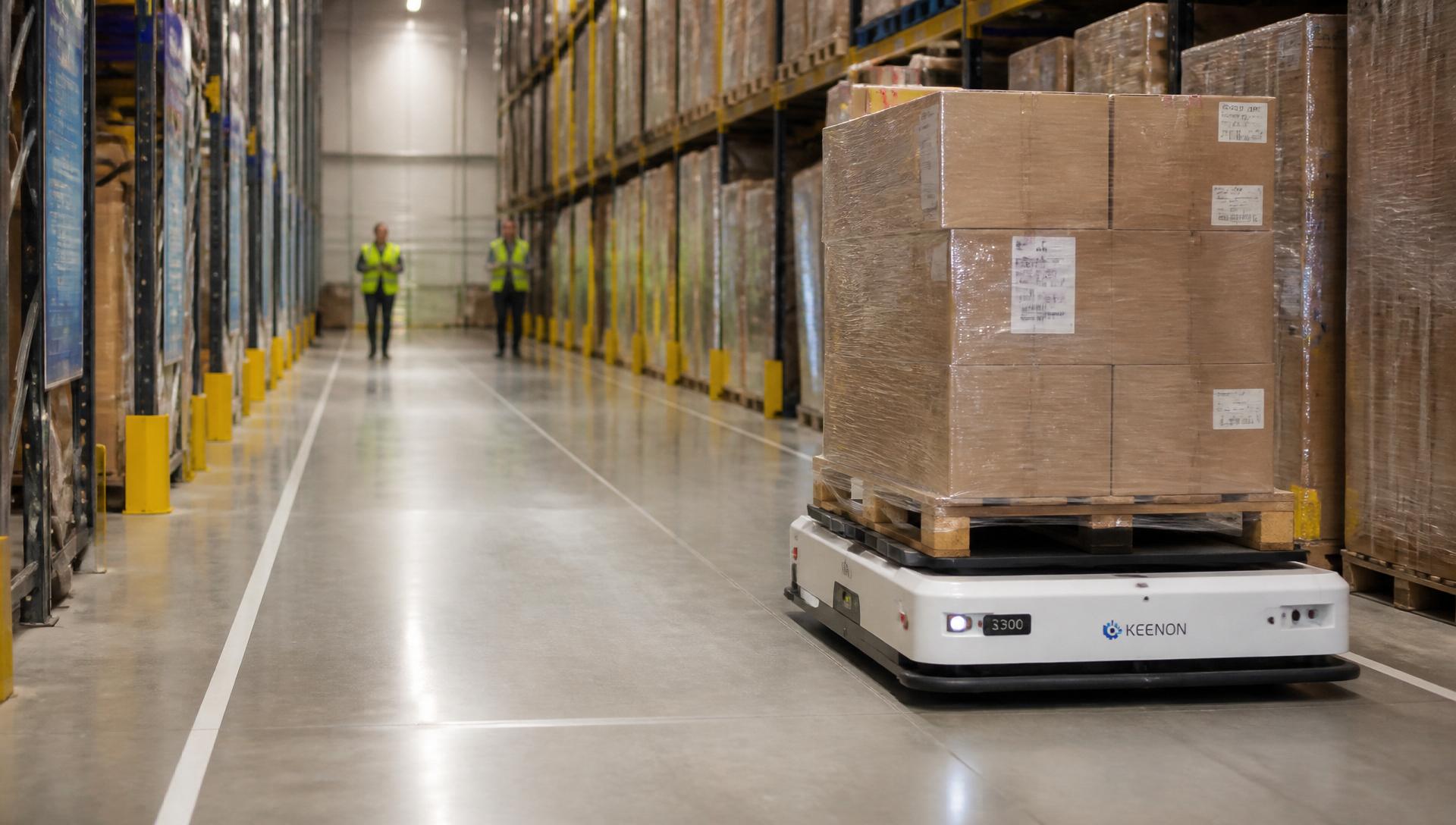
| Keenon S300 | Up to 300 kg; pallet and shelf loads up to 1200 × 1200 mm; 925 × 640 × 1282 mm; 115 kg with battery; dual LiDAR plus 3D vision SLAM for 360° sensing; triple emergency stops; up to 6 hours under full load and a 3.5-hour fast charge; no track required | Pallet-class transfers where the load and route justify the larger unit |
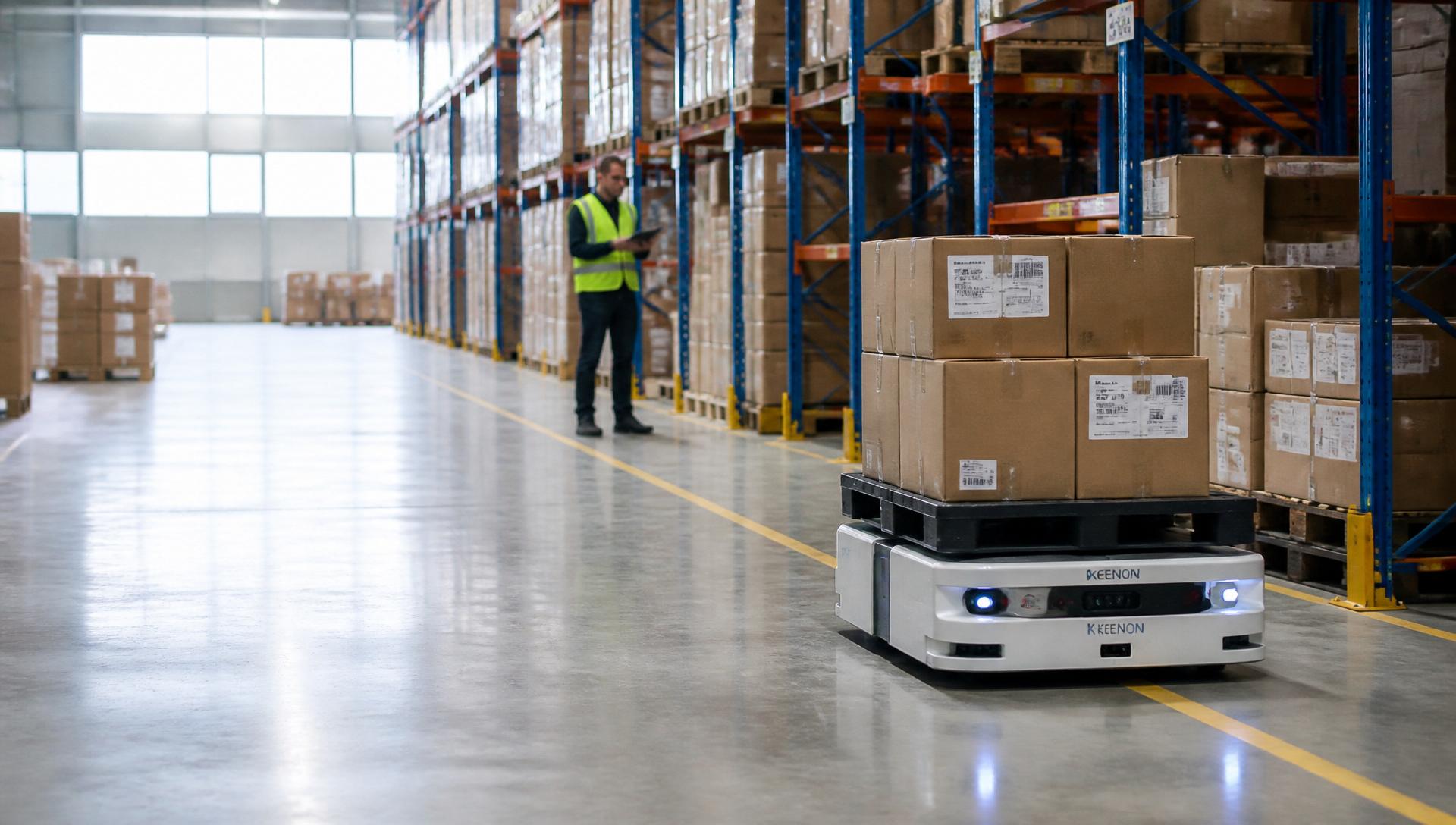
Published operating figures are a useful starting point, not a substitute for checking the actual task, load and route at your site. See our logistics robot overview and logistics sector page for more context.
Design the handover zone first
Before mapping a route, agree exactly where the robot waits, where goods are set down and who confirms that a load is ready to move. Treat this as a defined work area, not just a convenient patch of floor.
Plan for:
- A clear robot waiting point. Keep it out of the active bay lane and away from vehicle reversing paths.
- A defined forklift drop or load-transfer point. Agree how the load gets onto the robot or trolley. Do not assume a robot can collect a load directly from a vehicle or accept a forklift transfer without a suitable, approved process.
- A staging arrangement. Give staged pallets or totes designated positions so they do not spill into the robot route, pedestrian walkway or vehicle approach.
- A clear exit and approach. The robot needs room to arrive, stop and leave without being boxed in by pallets, cages or parked equipment.
- Visible floor markings. Use hatching or other site-approved floor markings to show the handover area and keep-clear lane. These markings guide people; they are not tape for the robot to follow.
Avoid placing the robot's stop point where a delivery vehicle reverses or where forklift operators need to turn. A site survey should confirm the dimensions, approach and transfer method with the real load.
Plan traffic around forklifts, people and the bay door
Goods-in is shared space. Before commissioning, map how pedestrians, forklifts, pallet trucks, vehicles and the robot interact. Segregated pedestrian walkways and one-way loops can help reduce conflicting movements where the building layout allows.
Identify pedestrian crossing points, blind corners, narrow aisles and bay door thresholds. At each conflict point, agree who gives way, where the robot waits, and what staff should do if a route is blocked. Mirrors, signs, floor markings and changes to traffic flow may be useful parts of the site plan.
A busy bay door needs particular attention. The robot should not be sent into a vehicle's path or expected to negotiate an uncontrolled reversing area. The survey should establish whether the route avoids the bay door, operates only in agreed windows, or pauses at a safe waiting point while the area is active. Exclusion zones and operating windows are agreed during the site survey, rather than assumed to be the same at every warehouse.
Robots support staff; they do not replace forklift operators or remove the need for warehouse traffic procedures. Site-specific risk assessment, clear rules and staff training remain essential.
Make the handover routine clear
A simple process helps prevent missed loads and unsafe improvisation. Set out who:
- Prepares and loads the tote, cage, trolley or pallet.
- Checks that the load is stable and secured before the robot moves.
- Confirms that the weight is within the robot's rated limit.
- Checks that shrink wrap or other packaging does not overhang into the route.
- Confirms that the load height is compatible with the route and destination, including any racking or doorway constraints.
- Dispatches the robot and deals with an exception, such as a blocked route or an unavailable destination.
Never allow staff to ride on, stand on or be lifted by a robot. Anything above the model's payload, unstable or unsuitable for the agreed transfer process must stay with the appropriate manual handling method.
Plan charging around the bay's working pattern
Choose a charging dock that is accessible but does not obstruct the bay, a fire route, a pedestrian walkway or a forklift turning area. The dock's location should fit both the robot route and the team's daily routine.
Then schedule charging around the quietest suitable period. The S100 is specified for a full shift per charge. The S300 is specified for up to six hours under full load, with a 3.5-hour fast charge. These figures help you plan a duty cycle; actual use and charging arrangements should be checked against the operation.
A battery window that covers the planned load shift can avoid holding a spare unit just to keep the route running. If the robot needs to charge while the bay is active, define how the route is covered during that period, such as by a manual fallback or a different operating window.
Dispatch, logs and warehouse systems
Operators can dispatch tasks using the robot's touchscreen, and run logs can help supervisors review activity and exceptions. During the site survey, ask how the proposed workflow will fit your existing procedures and whether connection to a warehouse management system (WMS) or enterprise resource planning (ERP) system is available and appropriate. Do not assume that integration is included or required; it is a site-specific question to confirm.
Roll out in phases
Start with one robot and a controlled task:
- Week one: Run one fixed route at the quietest suitable time. Observe the handover, waiting points, crossings and exceptions.
- Next: Add a second route only after the first is working reliably and responsibilities are clear.
- Then: Extend the operating window towards shift-wide use, updating the traffic plan and staff training as needed.
Keep a manual fallback throughout. If a route is blocked, the load is unsuitable or the robot is unavailable, staff should know how to complete the task without disrupting goods-in.
Pre-deployment checklist
- Identify the repeated goods-in movement and its start and end points.
- Confirm typical and maximum load type, weight, dimensions and stability.
- Select S100 for tote and trolley work or S300 for genuine pallet-class movement.
- Agree who loads, secures and confirms each load.
- Mark the handover zone, robot waiting point and keep-clear lane.
- Map pedestrian walkways, forklift routes, crossings, blind corners and bay door activity.
- Set exclusion zones, waiting behaviour and operating windows during the site survey.
- Choose a charging-dock location and plan charging around the bay schedule.
- Confirm touchscreen dispatch, run-log needs and any WMS or ERP integration questions.
- Train each relevant shift and document the manual fallback.
Commercial options and deployment support
There are three ways to deploy warehouse logistics robots:
- Outright purchase: Your organisation buys and owns the robot.
- Hybrid ownership: You own the hardware and arrange an agreed package for support and maintenance.
- Robotics-as-a-Service (RaaS): A subscription with zero upfront capital outlay, with maintenance, training and UK support included as agreed in the proposal. Multi-unit fleets are commonly structured with a service-level agreement (SLA).
The right arrangement depends on your operational and procurement requirements. Configuration and service scope are set out in a written proposal.
Fresh Mango Robotics supports deployment through the site survey, route mapping, commissioning and staff training, followed by a UK-based support desk and on-site engineers.
Frequently asked questions
Why is goods-in a good place to start with warehouse robots?
Goods-in often involves repeated movement between fixed points, making it easier to define a route and handover process than a variable task such as picking. It can also free a forklift and driver from short internal runs while inbound vehicles are waiting.
Does a warehouse robot need floor tape or a track?
The Keenon S100 and S300 use SLAM-based navigation and do not require floor tape, wire or a track. Any hatching or floor markings at the handover zone are for people and traffic management, not robot guidance.
Can a loading bay robot unload a delivery vehicle?
Do not assume so. Unloading inbound vehicles, transferring loads to the robot and tasks requiring a licensed operator remain with people and appropriate MHE unless a specific, approved process has been assessed. A robot transports a suitable load along its planned route; it is not a replacement for a forklift.
How do I choose between the Keenon S100 and S300?
The S100 is the usual starting point for tote and trolley movement and tighter aisles. The S300 is intended for loads in the pallet class, up to its published payload and load dimensions. Choose against the real load and route, not payload alone.
Can these robots work alongside forklifts?
They can be planned for shared environments, but the layout and operating rules matter. The site survey should identify segregated routes where possible, crossing points, blind corners, exclusion zones and operating windows. Train staff and keep a manual fallback.
Does the robot connect to a WMS or ERP?
That needs to be discussed at the site survey. Confirm whether integration is available, necessary and within the agreed scope; do not assume it is included by default.
How should a warehouse begin a rollout?
Start with one fixed route at the quietest suitable time. Review handovers and traffic behaviour, then add another route and extend operating hours in stages. Keep manual cover available while the team learns the process.
Last reviewed:
Talk to a robot supplier you can actually visit
We are based in Ripon, North Yorkshire, with engineers across the North of England. On-site demos as standard.
Related articles

7 Mistakes You're Making with Warehouse Logistics Robots (and How to Fix Them)
The seven biggest mistakes UK warehouses make when deploying logistics robots — and the practical fixes that unlock a clear 12–18 month payback.
What Happens in a Robot Site Survey? A Fresh Mango Engineer Walks You Through It
A Fresh Mango Robotics engineer explains how a real site is assessed for routes, floors, lifts, utilities, safety, installation and staff training.
AMR vs AGV vs Cobot: A Plain-English Guide for UK Businesses
Clear, plain-English definitions of autonomous mobile robots, automated guided vehicles and collaborative robots — and where each one belongs in a UK operation.
Keep reading